The short answer
For a first build, start with the Optoma GT2400HDR at $1,299: a Full HD short-throw projector rated at 4,200 ANSI lumens with 8.4 ms input lag at 1080p 120Hz. Move up to a 4K model if your screen is wider than about 14 ft and your PC can drive 4K. Check the throw ratio against your room depth first.
We earn a commission when you buy through some links on this site, at no extra cost to you. It never changes what we recommend.
Try it with your numbers
Our picks
GT2400HDR
Projector
$1,299, Full HD, 4,200 ANSI lumens, 8.4 ms input lag at 1080p 120Hz and a short-throw lens.
- ResolutionFull HD
- Brightness4,200 ANSI lumens
- Input lag8.4 ms at 1080p 120Hz
Listed price$1,299
Check price at Shop Indoor GolfSpecs & trade-offs
The mount is sold separately, and you should still check brightness against your room light.
- Resolution
- Full HD
- Brightness
- 4,200 ANSI lumens
- Input lag
- 8.4 ms at 1080p 120Hz
- Throw
- Short throw
- Bright for the price
- Low input lag
- Not 4K
- Mount sold separately
- Check brightness against room light
AH30ST
Projector
$1,499 with a Golf Mode picture preset and auto keystone.
- ThrowShort throw
- ModeGolf Mode picture preset
- SetupAuto keystone
Listed price$1,499
Check price at Carl's PlaceSpecs & trade-offs
It is not 4K, and the mount is sold separately. Carl's Place bundles it in its EYE MINI CORE package.
- Throw
- Short throw
- Mode
- Golf Mode picture preset
- Setup
- Auto keystone
- Short throw helps avoid shadows
- Golf Mode
- Not 4K
- Check brightness against your room light
- Mount sold separately
AH500ST
Projector
$1,999 at 4,000 ANSI lumens, short throw with auto keystone.
- Brightness4,000 ANSI lumens
- ThrowShort throw
- SetupAuto keystone
Listed price$1,999
Check price at Carl's PlaceSpecs & trade-offs
It costs $500 more than the AH30ST and is not 4K.
- Brightness
- 4,000 ANSI lumens
- Throw
- Short throw
- Setup
- Auto keystone
- Brighter for lit rooms
- Short throw
- Not 4K
- Mount sold separately
- Costs $500 more than the AH30ST
ZK521ST-B
Projector
$2,699, native 4K, 5,000 lumens and a DuraCore laser.
- ResolutionNative 4K
- Brightness5,000 lumens
- Light sourceDuraCore laser
Listed price$2,699
Check price at Carl's PlaceSpecs & trade-offs
A 4K-capable PC is needed, and the mount is sold separately.
- Resolution
- Native 4K
- Brightness
- 5,000 lumens
- Light source
- DuraCore laser
- 4K at a lower price than the BenQ 4K models listed here
- Laser
- Mount sold separately
- A 4K-capable PC is needed
- Costs more than Full HD options
AK800ST
Projector
$3,999, 4K UHD at 5,000 lumens with an IP5X dust-resistant engine and Auto Screen Fit 2.0 to help alignment.
- Resolution4K UHD
- Brightness5,000 lumens
- EngineIP5X dust-resistant
Listed price$3,999
Check price at Carl's PlaceSpecs & trade-offs
- Resolution
- 4K UHD
- Brightness
- 5,000 lumens
- Engine
- IP5X dust-resistant
- Setup
- Auto Screen Fit 2.0
- 4K
- Setup tools help alignment
- Expensive
- Mount sold separately
- A 4K-capable PC is needed
LK936ST
Projector
$4,899, 4K UHD, 5,100 lumens, laser light source rated 20,000 hours and 3,000,000:1 contrast.
- Resolution4K UHD
- Brightness5,100 lumens
- Light sourceLaser, 20,000 hours
Listed price$4,899
Check price at Carl's PlaceSpecs & trade-offs
It is expensive and needs a 4K-capable PC.
- Resolution
- 4K UHD
- Brightness
- 5,100 lumens
- Light source
- Laser, 20,000 hours
- Contrast
- 3,000,000:1
- 4K clarity
- Laser light source
- Expensive
- Mount sold separately
- A 4K-capable PC is needed
| Model | Best for | Type | Listed price |
|---|---|---|---|
| GT2400HDR | Best starting point for most rooms | Projector | $1,299 |
| AH30ST | Short throw with a golf preset | Projector | $1,499 |
| AH500ST | Brighter for a lit room | Projector | $1,999 |
| ZK521ST-B | Lowest-priced native 4K here | Projector | $2,699 |
| AK800ST | 4K with setup help | Projector | $3,999 |
| LK936ST | 4K laser for big screens | Projector | $4,899 |
A washed-out picture is the most common complaint about a home sim, and most of the time it comes from the projector: too dim for the room, or in the wrong place. The picks above come from sellers’ published specifications and prices, not our own use. Brightness and input lag figures are the makers’ numbers.
Brightness: how many lumens
Lumens measure brightness, and the advice from sellers varies with the room. PlayBetter gives three bands:
| Room | Lumens suggested |
|---|---|
| Dark room | 1,500 to 2,000 minimum |
| Most indoor setups | 2,200 to 2,500 ideal |
| Bright spaces, garages, multipurpose rooms | 3,000 or more |
Golfer’s Authority agrees that a dark room might need only about 1,500 lumens and a well-lit one at least 2,200. BenQ aims higher: about 3,000 ANSI lumens for smaller screens, and 4,000 or brighter, ideally laser, for screens 10 ft wide or wider. aboutGOLF recommends at least 3,000, with more for ambient light.
A darker room makes a brighter, cleaner picture for the same projector, which is why Carl’s Place notes that basements help. If your simulator is in a garage with a window, buy brightness. If it is in a basement you can black out, you can spend less.
Throw ratio and where the projector goes
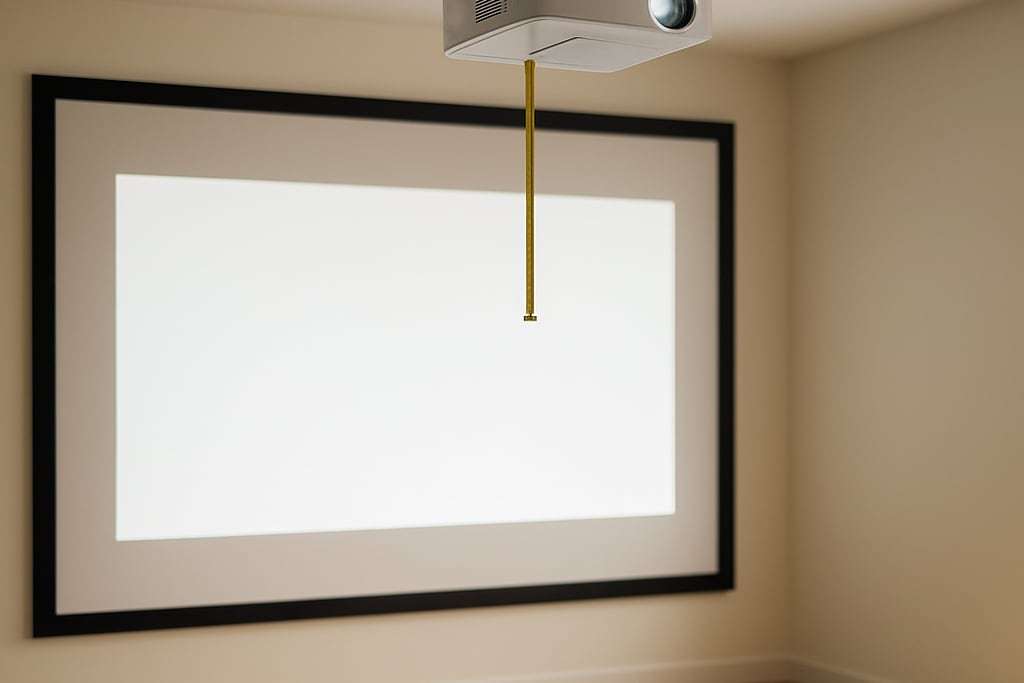
Throw ratio is the projector-to-screen distance divided by the image width. Throw distance equals throw ratio times screen width. A ratio of 0.8 and a 10 ft wide image means mounting 8 ft away. The projector throw calculator does that sum for you in both directions.
Short-throw projectors typically run 0.4 to 1.0, and BenQ’s use range is 0.5 to 1.1. Short throw lets the projector sit closer to the screen, which helps keep it out of the golfer’s shadow and the ball’s path.
BenQ advises a mount on the target line 7 to 8 ft from the screen, with the projector about 4 ft behind the tee. PlayBetter says directly above the golfer or 3 to 4 ft behind. Overhead installs are usually upside down, and at 100 percent offset the top edge of the image lines up with the lens center. Offsets above 110 percent in a room with a ceiling under 9 ft may need tilt and keystone correction, per BenQ. The projector setup guide covers the mounting steps.
The GT2400HDR, AH30ST and AH500ST are listed as short throw and the other three carry an ST model name, but none of the listings gives a throw ratio, so read the ratio on the seller’s page and run it through the calculator before you order. PlayBetter’s example of a projector that is not short throw is the LG ProBeam at 0.94 to 1.14, so do not assume the ratio from a model’s name.
1080p or 4K
BenQ says 1080p is acceptable and 4K is preferred, and recommends 4K for screens wider than 14 ft. The three 4K picks run from $2,699 to $4,899, and all of them need a PC that can drive 4K, which a typical computer may not.
Resolution loses pixels on a 4:3 screen. BenQ’s table shows that 4K 3840x2160 becomes 2880x2160, and Full HD 1920x1080 becomes 1440x1080. Impact screens are typically 4:3, so the resolution you see is less than the box says. See the impact screen guide for sizing the screen to match.
Input lag
Input lag is the delay between the PC sending a frame and the projector showing it. The GT2400HDR lists 8.4 ms at 1080p 120Hz, the only input lag figure in the picks. The other five listings give none, so check the spec sheet if it matters to you.
Lamp, LED or laser
Golfer’s Authority puts lamp life at 3,000 to 4,000 hours, LED at up to 20,000 and laser at about 50,000, while PlayBetter cites 20,000 or more for laser. BenQ warns that lamp projectors can fall to about 3,000 lumens on screen after about a year of use. Two of the picks list a laser light source: the ZK521ST-B and the LK936ST. The BenQ AH30ST, AH500ST and AK800ST listings do not state one, so check the light source before you compare running costs.
Matching the projector to your build
Work backwards from the screen. Choose the screen width first, then use its width and the projector’s throw ratio to find the throw distance, then check that distance against your ceiling mount position. If the numbers land inside the room, you have a match. If they do not, a different throw ratio is the fix.
Then check brightness against your light. The GT2400HDR lists 4,200 ANSI lumens and the AH500ST 4,000, which fits BenQ’s advice for screens 10 ft wide or wider. The three 4K models list 5,000 to 5,100 lumens. The AH30ST listing does not give a lumen figure in the seller’s summary, so confirm it before you compare it with the others. Cost is the last check: the six picks run $1,299, $1,499, $1,999, $2,699, $3,999 and $4,899, and each one needs a mount you buy separately.
Run the numbers
Add the projector to the cost calculator with a mount, and check the room with the room size calculator.
Who should skip a projector
- Anyone who wants only numbers. A net and a monitor cost far less. See the enclosure vs net guide.
- Rooms with no depth. If you cannot fit the throw distance, look at a different throw ratio. Ultra short throw models are a separate category this guide does not cover, so check the maker’s page for specifics.
- Buyers without a PC to match. A 4K projector with a weak computer gives you nothing for the extra money.
Common buying mistakes
- Buying the brightest model regardless of room. Match lumens to how dark you can make the room.
- Not checking throw ratio. A projector that cannot reach your screen size from your ceiling mount position is a return.
- Forgetting the mount. Every pick lists the mount as sold separately.
- Ignoring the aspect ratio. Check the resolution you will get on a 4:3 screen.
- Hanging it in the strike line. Keep the mount out of the ball’s path. The enclosure kit guide shows where mounts go.
Frequently asked questions
How many lumens does a golf simulator projector need?
PlayBetter says 1,500 to 2,000 lumens is a minimum for dark rooms, 2,200 to 2,500 is ideal for most indoor setups and 3,000 or more suits bright spaces like garages. BenQ says screens 10 ft wide or wider need 4,000 lumens or brighter, ideally laser. aboutGOLF recommends at least 3,000. The advice differs, so match it to how dark you can make the room.
What is throw ratio and why does it matter?
Throw ratio is the distance from projector to screen divided by the image width. A ratio of 0.8 and a 10 ft wide image puts the projector 8 ft away. Short-throw projectors typically run 0.4 to 1.0. Use the projector throw calculator before you buy, because the wrong ratio means the projector will not fit your room.
Is 4K worth it for a golf simulator?
1080p is acceptable and 4K is preferred, according to BenQ, which recommends 4K for screens wider than 14 ft. A 4K projector also needs a PC that can drive 4K, which a standard computer may not manage. Note that fitting a 16:9 image onto a 4:3 screen drops resolution: 4K becomes 2880x2160.
Where do I mount the projector?
BenQ advises mounting on the target line 7 to 8 ft from the screen so a ball is unlikely to hit it, with the projector about 4 ft behind the tee. PlayBetter says directly above the golfer or 3 to 4 ft behind. Overhead installs are usually upside down.
Do laser projectors last longer than lamp ones?
Golfer's Authority lists lamps at 3,000 to 4,000 hours, LED at up to 20,000 hours and laser at about 50,000 hours, and PlayBetter cites 20,000 hours or more for laser. BenQ says lamp models can drop to about 3,000 lumens on screen after about a year of use.